blancpain Watch Coupon Stacking: Does It Apply?
## Bottom Line There is currently not enough current official promotion rules, verifiable coupon codes, or checkout screenshots to confirm that this [blancpain](https://fashion-reps.net/brand/blancpain)-style watch can still get a discount after applying multiple promotion conditions at the same time, and no specific savings amount can be filled in. The safer approach is to test each coupon separately, then use the final checkout page's displayed discount status as the standard; if the promotion
- Published
- Editors
- Nathaniel Brooks · Editor-in-Chief and Founder
- Record updated
- Editor score
- 4.2 / 5
Bottom Line
There is currently not enough current official promotion rules, verifiable coupon codes, or checkout screenshots to confirm that this blancpain-style watch can still get a discount after applying multiple promotion conditions at the same time, and no specific savings amount can be filled in. The safer approach is to test each coupon separately, then use the final checkout page's displayed discount status as the standard; if the promotion entry, threshold, currency, or validity period cannot be verified, stop payment.
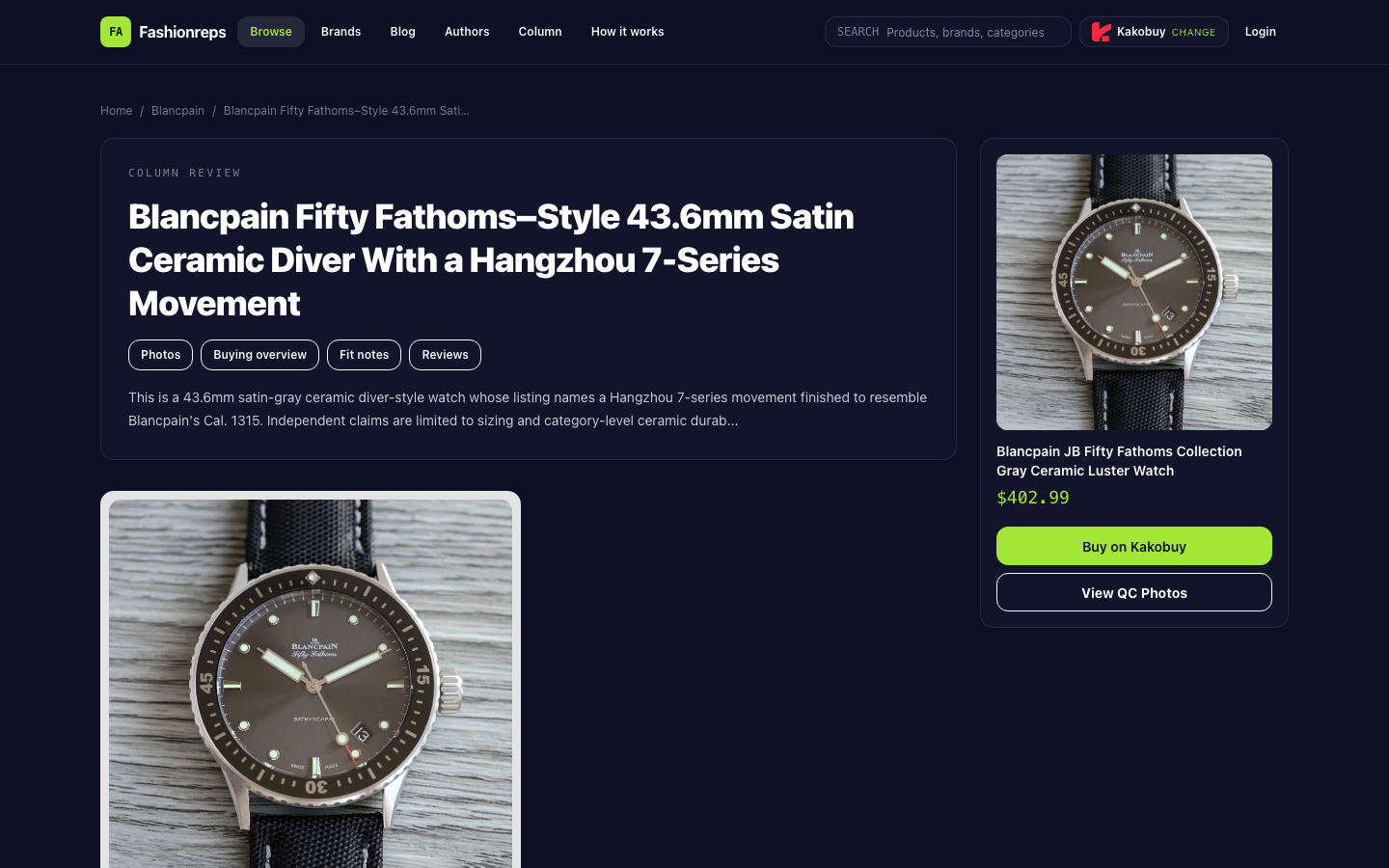
The verifiable product information this time comes from a 43.6 mm satin gray high-tech ceramic dive watch-style product. The page gives a reference price of $402.99, and the original reference amount is $450.01. The page also states that the final product price, service fees, and international shipping fees need to be confirmed with the shopping agent platform. This reference price cannot be directly used as the payment amount after stacking promotions.

Why You Can't Just Look at the Product Page Price
The reference price on the product page, product discount, and checkout page amount due are not the same data. At actual payment, payment fees, service fees, packaging fees, and international shipping may appear separately. Coupons may also only apply to the product amount, or only to specific orders, currencies, payment methods, and shopping agents.
Therefore, even if the product page displays both the original price and reference price at the same time, you cannot judge that multiple coupons have been stacked, and even less can you directly regard the price difference on the page as the final savings amount.
Fix Product Conditions Before Review
First record the following to avoid changing product conditions during testing:
- Product name, model, or page identifier
- Specific variant, such as color, size, and strap configuration
- Purchase quantity
- Current displayed price and currency on the product page
- Whether there is a discount on the product itself
- Whether a promotion entry appears on the checkout page
- Date and time of inquiry
The source page this time describes a 43.6 mm ceramic case, a matching ceramic buckle, and what the page calls a Hangzhou 7-series movement. The above information is used to confirm the test subject, and does not mean that the product has independently verified movement, luminous, or water resistance performance. If a different model or variant appears at checkout, you should record it again and cannot continue using the original discount judgment.
Test Promotion Conditions in Order
Step 1: Add only the product, do not fill in promotions
Keep the quantity at one piece, and record the product amount, currency, service fee, packaging fee, and shipping fee. If these fees are not yet displayed, mark them as "to be confirmed at checkout" and do not estimate them yourself.
Step 2: Test each coupon separately
Each time use only one coupon, and record four results:
- Whether the coupon code or promotion condition is accepted
- Whether the amount threshold is met
- Which part of the amount the discount applies to
- Whether the total amount due changes
If the platform only displays "applied" without showing the discount amount, you should continue to check the amount details; when you cannot see the actual discount, you cannot treat the status as having saved money.
Step 3: Test stacking order
After the single coupon results are recorded, add the second promotion condition item by item according to the order allowed by the page. Each time you add, save the before and after amounts and prompt text. Focus on:
- Whether the second coupon is rejected by the system
- Whether the first coupon automatically becomes invalid
- Whether the two coupons show discounts separately
- Whether the product discount is retained at the same time as the coupons
- Whether the discount only applies to the product amount and does not affect service fees, packaging fees, or shipping fees
If the system does not clearly state that stacking is allowed, do not infer stacking rules based on amount changes. Amount changes may also come from currency conversion, quantity changes, or fee recalculation.
Step 4: Confirm final checkout status
The final judgment must come from the checkout page, not the product detail page or coupon description page. Before submitting payment, confirm again:
- Product model and quantity have not changed
- Checkout currency is the same as during testing
- All promotions still show as valid
- Product amount, all fees, and total amount have been updated
- There are no prompts like "estimate only," "pending review," or "recalculated at payment"
- Shipping and service fees have not increased due to promotion condition changes
If any of these items cannot be confirmed, stop payment and ask the shopping agent about applicability, validity period, and final amount.
Currency Conditions Need Separate Verification
Promotion thresholds may be calculated in US dollars, RMB, or other settlement currencies. You cannot directly compare the US dollar reference price displayed on the product page with a threshold in another currency, nor can you use self-converted amounts to prove that conditions are met. You should use the actual currency adopted by the checkout page and the calculation method published by the platform.
If the page does not provide the current official exchange rate, currency restrictions, or threshold description, both the article and purchase record can only write "to be confirmed," and cannot fill in calculated discount amounts.
Situations Where Testing Should Stop
Do not continue attempting payment when any of the following occurs:
- There are no current official promotion rules that can be verified
- Coupon code source is unknown, or validity period cannot be confirmed
- Product model is an exclusion for the promotion, but the page does not clearly explain
- After stacking, only vague prompts appear, without actual amount details
- Settlement currency is inconsistent with the promotion threshold
- Product, service fees, packaging fees, or international shipping are not fully displayed
- Product page price is inconsistent with checkout page amount, and the platform does not explain the reason
The existing evidence this time can only support information such as product category, size, material description, page reference price, and fees needing confirmation by the shopping agent. It cannot support any specific coupon code, discount rate, successful stacking result, or final savings amount. Therefore, before obtaining current checkout page evidence, this product should not be marked as "promotion confirmed."
Purchase Records Worth Keeping
After completing verification, it is recommended to keep screenshots of the product page and checkout page, and in the records fill in product amount, product discount, payment fee, service fee, packaging fee, and international shipping separately. If the discount becomes invalid before payment, you should re-judge based on the invalidated checkout status, and do not cite the previously successful test page as a current commitment.
For this blancpain-style watch, the truly actionable conclusion is not "multiple coupons can definitely be stacked," but rather: only when the specific model, currency, threshold, order, validity period, and final checkout amount are simultaneously confirmed by the page can the discount be considered still valid; when these conditions lack current evidence, you should stop payment and supplement verification.
Community feedback (0)