Kakobuy Beginner Shipping Guide
# Kakobuy Beginner Shipping Guide  Caption: Kakobuy official page screenshot, used for new users to verify the page source when entering the operation flow from the platform's instruction page. ## Scope of This Kakobuy Operation Guide This guide is only intended to help first-time Kakobuy users connect the actions of "registering an account, subm
- Published
- Editors
- Nathaniel Brooks · Editor-in-Chief and Founder
- Record updated
- Editor score
- 4.2 / 5
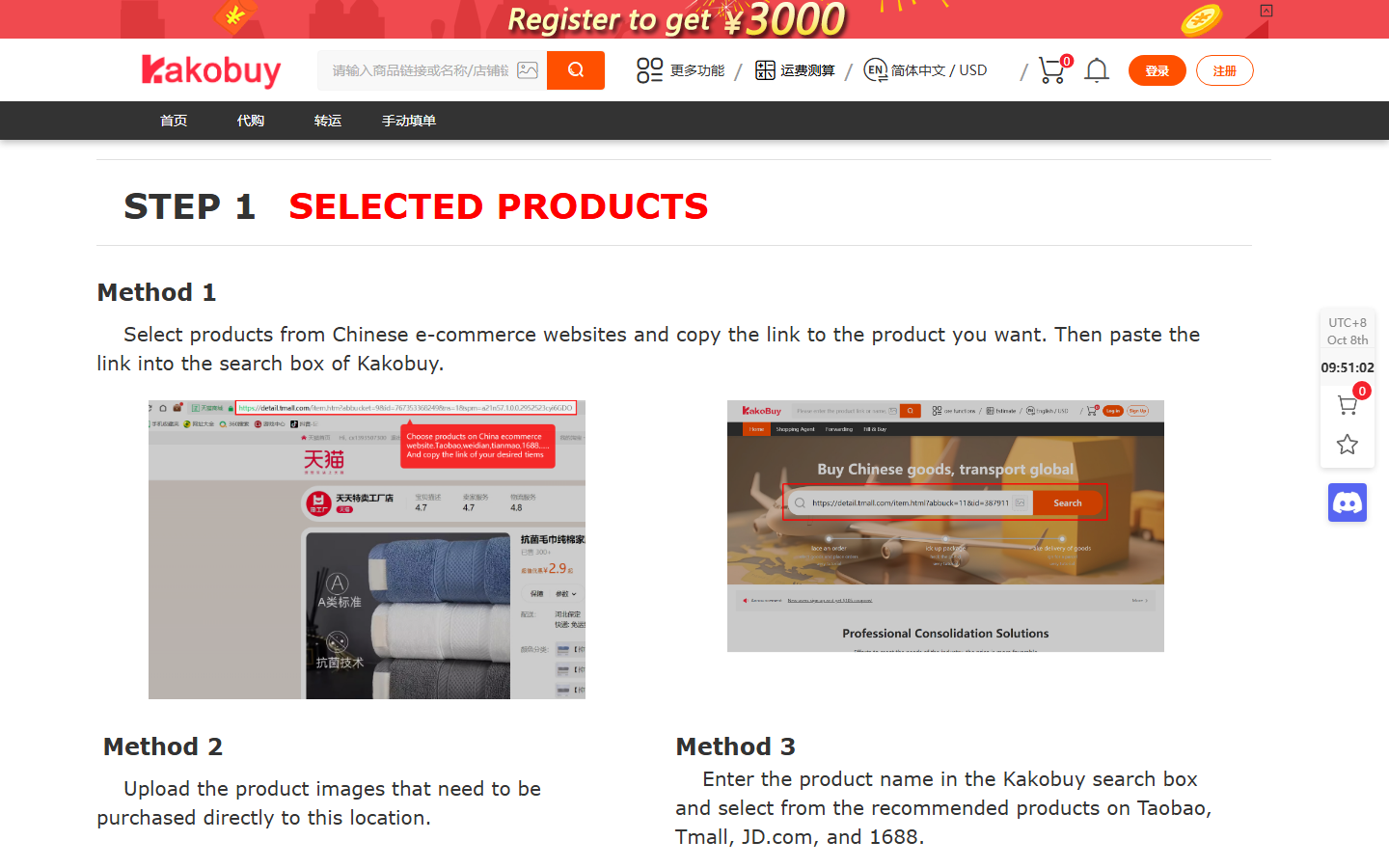

Caption: Kakobuy official page screenshot, used for new users to verify the page source when entering the operation flow from the platform's instruction page.
Scope of This Kakobuy Operation Guide
This guide is only intended to help first-time Kakobuy users connect the actions of "registering an account, submitting product information, waiting for warehouse processing, submitting a parcel, and tracking international shipment." It is suitable for new users who have not yet formed fixed operating habits, and for those who want to re-check the process before making a payment.
It is not suitable for judging whether any specific product is worth buying, and does not provide product recommendations, brand judgments, price comparisons, or methods to bypass customs inspections. Kakobuy is an Agent platform for cross-border shopping and forwarding processes in China; actual pages, available routes, fees, warehouse processing status, and shipping times may change with accounts, destinations, parcel conditions, and platform updates. Before placing an order, always refer to the current display on Kakobuy's official page.
It is recommended that new users prepare a simple record sheet before starting, even just a regular spreadsheet. The point of recording is not to do complex management, but to avoid forgetting links, order status, payment time, and parcel submission time. 🙂
| Stage | What to record yourself | Verification purpose |
|---|---|---|
| Before registration | Official website, login email or phone number | Avoid entering unofficial pages |
| Before submitting order | Product page link, specification description, remarks | For checking whether the platform processes according to your information |
| Before payment | Order amount, service fee or displayed fee, payment status | Avoid duplicate payment or missing pending status |
| After warehouse arrival | QC images, warehouse status, weight or volume information | Decide whether to continue submitting parcel |
| After shipping | Parcel number, route, logistics tracking status | For after-sales, customs, and receipt verification |
What to Confirm for Registration and Account Settings
New users should start from the Kakobuy official website, not from social media screenshots, third-party article buttons, or unknown links forwarded by others. After the page opens, first confirm that the browser address belongs to Kakobuy's official domain before registering or logging in.
Registration usually requires completing account identity information, login method, and security verification. This article does not assume that the page will definitely display a certain fixed field name, because Kakobuy pages may be updated; you need to fill in according to the current official page prompts. Before submitting, focus on three things:
- Whether the login information is long-term usable, such as email or phone number.
- Whether passwords or verification codes are only entered on the official page.
- Whether the page has successfully entered the account center or order-related area.
If the page prompts that JavaScript needs to be enabled, you should first allow the website to run normally in the browser before continuing. Do not repeatedly click submit when the page is not fully loaded, as this may cause unclear registration status or require re-verification.
After account settings are complete, you can first check whether personal center, address, notification, and payment-related entries can be opened normally. For first-time use, do not rush to submit a large number of orders; first complete the entire process with one verifiable piece of information, which makes it easier to discover which step you are unfamiliar with.
How to Submit Product Links and Fill in Order Information
Kakobuy's Agent usage scenario usually starts with "submitting a product page link." You need to submit the link of the page you want to purchase to the corresponding entry provided on Kakobuy's official page, and then fill in specifications, quantity, or remarks according to the page requirements. The most important principle here is: only fill in information that you can confirm from the original product page, and do not let platform customer service guess for you.
Before submitting, check item by item:
- Is the product link complete, preferably able to be reopened.
- Are specifications, color, size, or other options consistent with the product page.
- Is the quantity correct.
- Are the remarks clear, brief, and actionable.
- Do you need to add requirements for communication with the seller.
If Kakobuy page provides a search or paste link entry, you should follow the page prompts first. If the link cannot be recognized, first check whether the link comes from an accessible product page, whether the full URL was copied, and whether it contains invalid redirect parameters. Do not use screenshots, vague nicknames, or verbal descriptions as a substitute for order placement.
A spreadsheet is very useful at this step. You can put each product link, specification, remark, and submission time in the same row. That way, if the order status is abnormal later, you can quickly return to the original information instead of searching back and forth in chat logs and browser history. 📋
Check Order Status and Fee Page Before Payment
After submitting product information, do not immediately interpret "submitted" as "purchase successful." Different statuses on Kakobuy official page represent different stages the platform is processing, and new users should wait until the page shows that payment is required or further action can be taken before checking fees.
Before payment, at least check the following:
- Does the order correspond to the link and specification you just submitted.
- Is the quantity displayed correct.
- Can you understand the current fee items.
- Is the payment status still pending or similar as indicated on the page.
- Are there any prompts for unavailable purchase, need to supplement information, or need to confirm.
Fees are highly volatile information and cannot be estimated based on others' screenshots or old tutorials. Actual amounts should be based on the display on Kakobuy official page on the day of payment, and record the verification date. If the page shows additional prompts, such as need to supplement information, re-select options, or wait for platform processing, you should resolve the prompt first, then pay.
Do not refresh repeatedly and then pay continuously. If you are unsure whether payment was successful, go back to the account order page to check the status, and then handle according to official page prompts. If necessary, keep a screenshot of the payment page, but cover personal account, order number, payment information, and address information in the screenshot.
How to View Warehouse Arrival and QC Information
After the platform completes the purchasing service, the product usually enters the warehouse processing stage. The most common mistake new users make at this stage is to immediately submit an international parcel upon seeing "warehouse arrival" without carefully checking QC information.
QC information is intended to help you confirm visible issues before international shipping. You need to view the warehouse status, images, or related instructions provided on Kakobuy official page, and compare them with your specification records from submission.
Key checks:
- Whether the arrived product matches the order record.
- Whether the quantity is correct.
- Whether there are obvious visible abnormalities.
- Whether the page shows weight, dimensions, or other information affecting the parcel.
- Whether there are any pending, to-be-confirmed, or abnormal prompts.
QC images can only indicate information within the visible range of the page, and cannot prove material, authenticity, durability, or fit. This article also does not recommend endorsing product quality based on images. If you find obvious discrepancies, you should first handle them through the after-sales or customer service entry provided on Kakobuy page, and do not rush to consolidate and ship. 🔍
Parcel Submission, Route Selection, and International Shipping Steps
After confirming warehouse information, the next step is to submit an international parcel. This stage usually requires selecting delivery address, parcel contents, shipping route, and confirming the fees and restrictions displayed on the page. Different destination countries, parcel weight, volume, category, and route rules will affect available options.
Before submitting a parcel, new users should first make a judgment on "whether consolidation is suitable." Consolidation may reduce repeated processing costs, but may also increase volumetric weight, parcel value, and risk of loss or damage in a single shipment; splitting may increase fixed costs, but sometimes better suits route restrictions or risk control. No single answer fits all parcels.
When submitting a parcel, complete according to current official page prompts:
- Select the warehouse items to be shipped.
- Check delivery address and contact information.
- View available shipping routes and displayed restrictions.
- Check weight, volume, fees, and estimated instructions.
- Confirm and pay as required by the page.
- Save parcel number and logistics tracking information.
Customs declaration information must be filled in truthfully. Do not under-declare to reduce taxes, split shipments to evade inspections, or fill in content that does not match reality. Destination country taxes, import restrictions, declaration requirements, and customs documents should be based on official logistics pages, destination customs, or carrier requirements.
After shipping, do not judge a parcel as abnormal based on a single status. International logistics often experiences periods without updates. You can record parcel submission date, route, tracking number, and last update time, and then judge whether to consult based on Kakobuy page or carrier page prompts. 🚚
How to Troubleshoot Common Mistakes According to Official Prompts
If new users encounter problems in Kakobuy operations, first return to the official page to read prompts, and do not guess based on third-party experience. Common problems can be troubleshooted by stage:
- Page won't load: check network, browser JavaScript, whether you are on the official domain.
- Link cannot be submitted: confirm that the product page link is complete and accessible.
- Order no change for a long time: check if there are pending confirmation, supplement information, or platform prompts.
- Fees confusing: go back to the fee page and check item by item, do not estimate based on old screenshots.
- QC inconsistency: pause parcel submission and handle through official after-sales or customer service entry.
- Route not selectable: check destination, weight, volume, category, or page displayed restrictions.
- Logistics not updated: record last update time, and then judge based on official tracking page whether consultation is needed.
When using an Agent platform for the first time, the most important thing is to correspond each step with the page status. Do not open too many orders at the same time, and do not continuously click pay, cancel, or submit without understanding the status. Platform prompts are closer to your real account status than any second-hand tutorial.
If you want to search for products to buy, you should start from an accessible product page or an entry supported by Kakobuy official page. This article does not provide specific product or brand recommendations, because the task of this article is platform process verification, not shopping recommendations.
Records After Completion and Next Steps
When the parcel has been submitted and logistics tracking information obtained, this new user process has entered the international shipping stage. You can complete the entire record: registration date, first order submission date, payment date, warehouse arrival date, QC check date, parcel submission date, route, tracking number, and latest status.
After completion, it is recommended to do three things:
- Save necessary screenshots, but cover personal information.
- Compare with your own spreadsheet to confirm there are no unprocessed orders or unsubmitted parcels.
- After receipt, record actual arrival date, whether taxes were incurred, and whether after-sales service is needed.
This set of records can help you judge whether to continue using the same process next time. It also allows you to explain the situation faster when encountering problems, instead of just saying "Why hasn't my package arrived yet?" ✅
One final emphasis: Kakobuy's actual pages, fees, routes, and processing status should be based on the official page display on the day you operate. This article provides a verification sequence for new users, and does not replace Kakobuy's current page prompts, customer service instructions, carrier rules, or destination country customs requirements.
Agent Platform Shopping FAQ
1. On repgalaxy.tips, why do I need to use a spreadsheet for shopping?
Since agent platforms usually do not directly display products, you need to use a spreadsheet to find items you like and obtain purchase links. As an alternative, you can seek help on Reddit or Discord—these platforms often have good recommendations, but the shopping process can be quite slow. These spreadsheets are usually compiled from long-term information gathered from these platforms.
2. What should new users pay attention to when using an agent platform on repgalaxy.tips for the first time?
New users who access Taobao agents through spreadsheets for the first time usually receive a new user shipping discount package. You should also refer to step-by-step tutorials for new users.
3. On repgalaxy.tips, how do I find products I want to buy?
You can search using a single keyword, or go directly to category pages where products are also organized by brand. Longer search terms typically return fewer but more precise results. For example, you can search "Air Force 1 White", "sneakers", or just "Air Force 1".
Community feedback (1)
Reader score 4 / 5 (1 rating)