Loro Piana Saved Item Spec Check: Verify After Favoriting
## Define the Spec Check Task After Favoriting After favoriting an item on fashion-reps, what really needs to be confirmed is not whether the "favorite button" was successfully clicked, but whether the favorited item, when reopened, still corresponds to the same product object, the same source page, and the same set of variant specifications. This article addresses only one issue: when the title, color, size, and page link of a favorited [Loro Piana](https://fashion-reps.net/brand/loro-piana) it
- Published
- Editors
- Nathaniel Brooks · Editor-in-Chief and Founder
- Record updated
- Editor score
- 4.2 / 5
Define the Spec Check Task After Favoriting
After favoriting an item on fashion-reps, what really needs to be confirmed is not whether the "favorite button" was successfully clicked, but whether the favorited item, when reopened, still corresponds to the same product object, the same source page, and the same set of variant specifications. This article addresses only one issue: when the title, color, size, and page link of a favorited Loro Piana item change or cannot be confirmed, how to pause placing an order and complete verification.
Applicable situations include: the favorited item's name becomes shorter, the displayed color is different, the size field disappears, clicking leads to a different style, or the product detail page and the favorite record appear inconsistent. This article does not apply to orders that have already been paid, warehouse inspection, or returns/exchanges. 🔎
Record Product Information Before Favoriting
Before favoriting, first save a minimal record on the product detail page. Do not only remember the product image, because similar styles may use similar visual materials.
It is recommended to record the following:
- Full product title
- Displayed color or color code
- Available sizes and the currently selected size
- Product page URL
- SKU, SPU, or other page-visible identification fields
- Page screenshot, preserving title, variant area, and address bar
- Check date and timezone
Example record format:
Check date: fill in actual date and timezone
Product title: record as shown on page
Color: record as shown on page
Size: record as shown on page
Page identifier: record based on page-visible fields
Page URL: save the full address from the browser address bar
If the page only shows "Loro Piana" without a clear style, color, or size, do not treat the brand name as a complete product identifier. In this case, save page evidence first, then decide whether to favorite. 📝

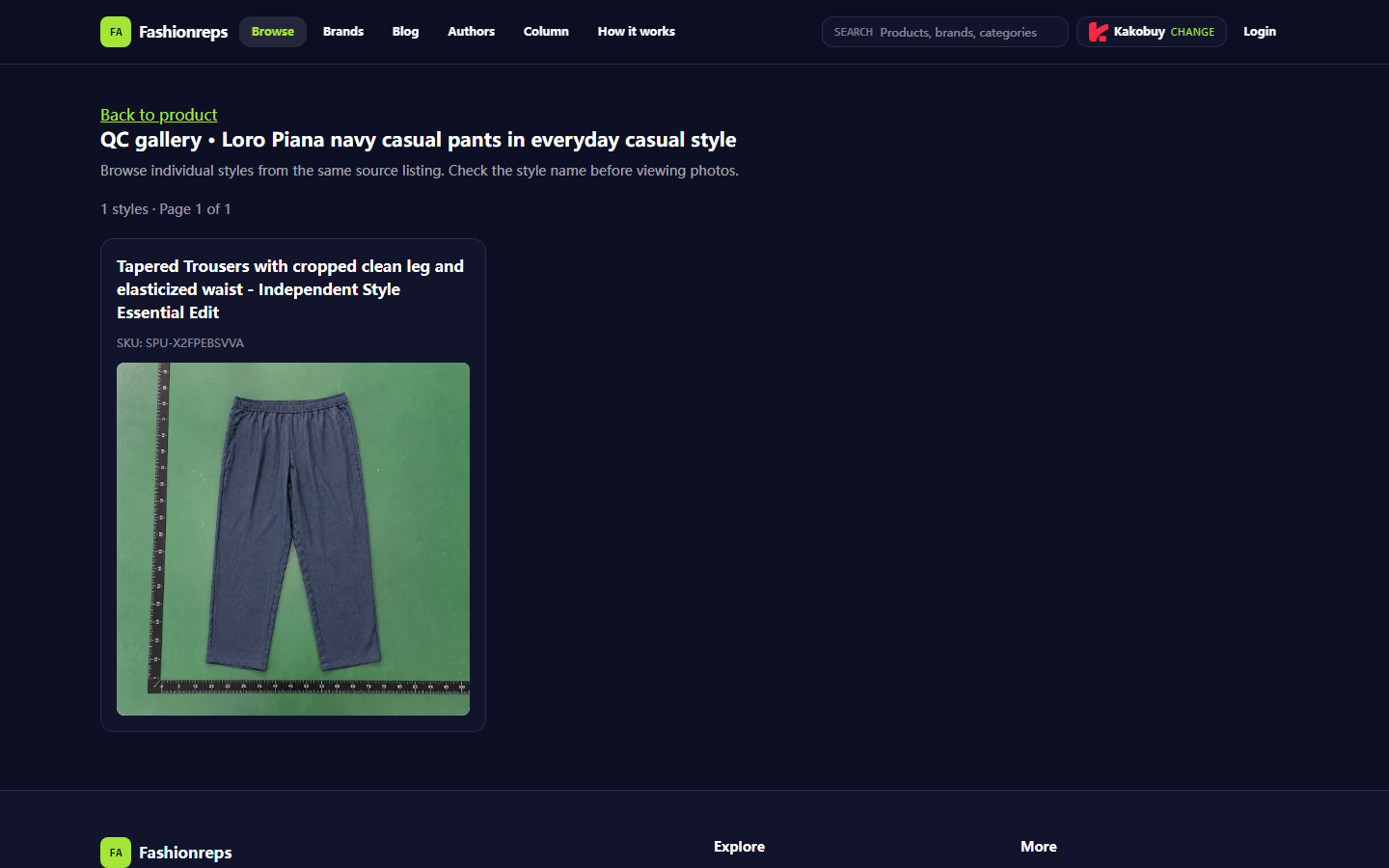
The image shows an example of a QC page entry for a related Loro Piana item. It is used to help identify page hierarchy and does not represent confirmation of the product's physical item, material, size accuracy, or purchase result.
Reopen Favorite and Verify It Still Points to the Same Object
After re-entering the favorites list, do not directly click purchase or jump to an external shopping agent. First check item by item whether the favorite record matches the original record.
Check in the following order:
- Can the favorited item's title still identify the same style?
- Is the displayed color the same as the original record?
- Does the favorited item retain size information; if not, confirm whether the favorites list does not display it or the product page no longer has that variant.
- After clicking the favorited item, is the URL still the same page, or at least can the page identifier confirm it is the same product object?
- Does the page jump to another style in the same series, a QC gallery, a brand aggregation page, or a blank page?
- Does the current page still show selectable colors and sizes?
Just because the same brand name or similar image appears on the page does not prove that the product object has not changed. You need to compare the title, variant fields, and page identification information simultaneously. ✅
Compare Favorite List, Product Detail Page, and Variant Fields
You can use the following checklist to fill in item by item:
| Check Field | Favorite List | Reopened Product Page | Judgment Method |
|---|---|---|---|
| Product Title | Record visible text | Page title or product name | Core style name should correspond |
| Color | List display content | Current color field | Pause if missing or changed |
| Size | List display content | Available sizes or current selection | Do not substitute with adjacent sizes |
| Page Identifier | Favorite link or identifier | SKU, SPU, or page field | Keep at least one comparable identifier |
| Page Status | Openable, invalid, or redirects | Normal detail page, blank page, or other page | Do not continue purchasing on blank pages or abnormal redirects |
If the favorites list does not display color or size, do not immediately conclude that the product has changed. First confirm whether the list originally only saves product links, then return to the detail page to view variant fields. Only when the detail page also lacks previously visible specifications, or the page identifier points to another object, should it be recorded as inconsistent.
Check Display Differences Caused by Refresh, Login Status, and Redirects
Display differences may not originate from the product itself, but could be caused by page status. Troubleshoot in the following order:
- Refresh the detail page once, waiting for title, variants, and images to finish loading.
- Confirm the current account is still logged in; if the page prompts login, do not treat unloaded fields as product specification changes.
- Reopen the favorite in the same browser tab to avoid multiple tabs retaining different login states.
- Check whether the address bar has changed domain, path, or parameters.
- Disable translation, auto-fill, or script-blocking functions that may affect page display, then check again.
- Record differences before and after refresh, and do not repeatedly click external purchase buttons.
If only the favorites list displays abnormally, while the detail page's title, page identifier, color, and size all correspond to the original record, you can temporarily classify the issue as a list display difference; if detail page fields also change, it should be treated as specification inconsistency. ⚠️
Preserve Evidence and Stop Repeated Ordering When Specs Are Missing or Inconsistent
Stop placing orders when any of the following situations occur:
- The color changes from the original record to another color, and the page does not explain that it is a display alias.
- A previously available size is no longer offered, but the page does not state the reason for sold out, update, or variant adjustment.
- Clicking the favorite leads to another style, a brand aggregation page, or a page where the object cannot be confirmed.
- The page link can be opened, but the title, SKU, SPU, or other identification fields cannot be matched.
- The page requires re-selecting specifications, and the original selection cannot be restored.
- The detail page, favorite record, and QC page point to different objects.
Evidence should at least include a screenshot of the original record, a screenshot of the current favorite, a screenshot of the reopened detail page, and a screenshot of the address bar. Do not expose order numbers, payment information, full shipping labels, phone numbers, or other personal information in screenshots. When saving files, name them with date and product identification fields, avoiding confusing names like "final version".
Do not "test" the page by repeatedly favoriting, refreshing, or clicking purchase multiple times. Repeated actions may create multiple favorite records, duplicate orders, or inability to determine which variant was selected.
Confirm Product Object, Variants, and Page Status Through Official Support
When page evidence cannot confirm whether the product is still the same object, contact the fashion-reps page provider or the official support channel displayed on the current page. Keep inquiries specific; do not just send "why is it different."
It is recommended to provide:
- Product page URL
- Title differences before and after favoriting
- Color and size differences
- Page identification fields
- Check date and timezone
- Redacted comparison screenshots
You can ask:
- Does the current link still correspond to the original product object?
- Does the favorites list save color and size selections?
- Are the current variant fields due to page update, temporary out-of-stock, or a different style?
- Will the external shopping agent require re-selecting specifications after opening?
- If page information cannot be confirmed, is it recommended to wait for page recovery or re-create the favorite record?
Do not treat explanations not yet confirmed by customer service as product facts, and do not replace the original page with a similar page before receiving a clear reply. 📩
Final Action: Continue Purchasing Only When Evidence Is Consistent
Only when the following information corresponds to each other is it appropriate to proceed to the next purchase step: the favorite item, product detail page, and page identification fields point to the same object; color and size still match the original record; link redirects are normal; the current page does not require replacing the original selection with uncertain variants.
If evidence is consistent, before continuing purchase, still re-verify the product, color, size, and quantity on the external shopping agent page, and save the pre-order record. The fashion-reps page is used to discover products and view source information; orders, payments, warehouse inspection, and shipping are handled by the selected shopping agent, so the favorite status cannot be used as a guarantee of inventory, price, or order status.
If evidence is inconsistent, save the comparison record and pause the order. This decision may cause you to temporarily miss price or inventory changes, but it reduces the risk of purchasing the wrong color, size, or style. It is suitable for users whose page information updates frequently, who need to order through a purchasing agent, or who cannot directly confirm variants; it is not recommended to continue when the page object cannot be confirmed, specification fields are missing, links redirect abnormally, or the support channel has not yet responded.
Community feedback (5)
Reader score 4.2 / 5 (5 ratings)