PUMA fashionreps Order Tracking Evidence Check
After checkout, the order page staying unchanged for a long time does not mean the package has actually left the warehouse, and you cannot assume logistics have started just because the payment success page appeared. This article focuses on one specific task: checking the order, warehouse, and logistics evidence after checkout for relevant items on [fashionreps](https://fashion-reps.net/) to decide whether to keep waiting, contact the platform, or stop repeating the same actions. All status, inv
- Published
- Editors
- Nathaniel Brooks · Editor-in-Chief and Founder
- Record updated
- Editor score
- 4.2 / 5
After checkout, the order page staying unchanged for a long time does not mean the package has actually left the warehouse, and you cannot assume logistics have started just because the payment success page appeared. This article focuses on one specific task: checking the order, warehouse, and logistics evidence after checkout for relevant items on fashionreps to decide whether to keep waiting, contact the platform, or stop repeating the same actions. All status, inventory, price, and logistics fields mentioned here should be based on the page as of the query date; the verification date for this article is October 15, 2026. 🧾
Defining the Verification Task for PUMA Shoe Order Status Not Updating
First, break down "status not updating" into checkable observations rather than jumping to conclusions about platform glitches. What you need to confirm:
- Does the checkout page show payment success, or is it still stuck on pending payment, payment processing, or a failed return?
- Has an order number been generated, and can that order number be opened again from your account's order list?
- Does the order retain basic information like product name, specifications, quantity, and amount?
- Have any of these fields appeared: pending purchase, purchasing, arrived at warehouse, pending inspection, pending shipment, or package tracking?
- What is the last update time shown on the page, and is that update time earlier than the payment record?
After completing this verification, you should be able to do one thing: save a set of reviewable order evidence, and based on that, choose to wait, submit a help request, or stop making further payments. If your goal is to verify authenticity, assess shoe upper quality, or confirm sizing fits, that falls outside this article's scope.
Saving the Current State of fashionreps Product Page, Order Page, and Logistics Entry
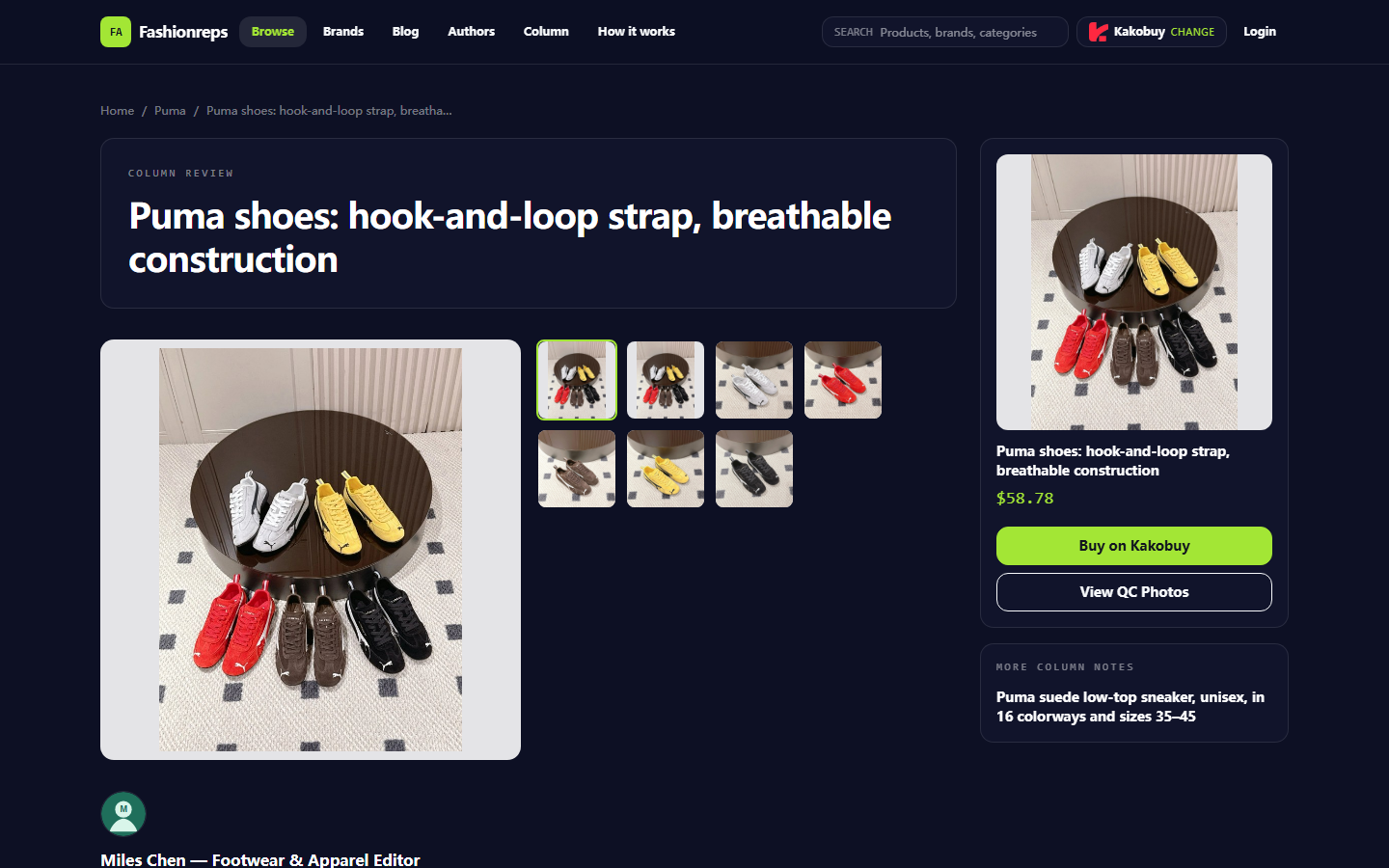
First, go back to the product page to confirm the current record still matches the target style. Existing product information shows this is a children's shoe listing with PUMA in the title, with specs listing hook-and-loop closure, synthetic leather upper, rubber outsole, and size range 26–37; the page also lists Kukatong of Taizhou as brand information in the specs. This page data should not be taken as proof of authentic PUMA, nor can it replace order or logistics status verification.
When saving evidence, record the following pages in order at the same query time:
- Product page: product name, specs, product ID, visible price, page update time or capture date.
- Checkout or payment result page: payment result, transaction amount, currency, payment time, and whether an order number was generated.
- Account order page: order number, order status, line items, quantity, amount, creation time, and last update time.
- Warehouse or package page: inbound status, inspection or QC status, package number, carrier, tracking number, and visible tracking history.
- Help or customer service entry: available issue types, order fields that need to be filled in, and attachment requirements.
Before taking screenshots, redact your name, phone number, address, payment card details, and full shipping label, keeping only the necessary part of the order number. Do not publicly share full orders, passports, payment receipts, or shipping labels with others. 🔒
Reference information from the product page can help confirm "which line item you are buying," but it cannot prove that payment was received by the platform, nor that the package has left the warehouse.
Checking Order Number, Payment Status, Warehouse Status, and Package Tracking Fields
It's best to use the same log sheet to avoid mixing up the statuses of different orders or packages:
| Verification Field | Evidence to Look For | What Missing Means |
|---|---|---|
| Product Identification | Product name, specs, quantity, or product ID | Cannot confirm which shoe the status corresponds to |
| Order Identification | Reopenable order number, creation time | Order may not be completed, or page didn't load fully |
| Payment Status | Explicit text like success, processing, failed, or pending payment | Cannot treat a charge notice as order confirmation |
| Warehouse Status | Status like pending purchase, purchased, arrived at warehouse, pending inspection | Cannot tell if item has entered warehouse process |
| Package Tracking | Package number, carrier, tracking number, or first scan time | Cannot tell if shipped or handed to carrier |
| Update Time | Separate update times for order, warehouse, and logistics | Cannot distinguish delay from display anomaly |
When checking, don't just look at a green success mark. Payment success without an order number means you still need to confirm whether the order was recorded; having an order number but no warehouse status may just mean it hasn't entered purchasing or warehouse processing yet; having a package number but no first carrier scan only indicates the system may have created a logistics record, not that the carrier has actually received the package.
If the order list is empty, log out and log back in first, then search by order number or payment time. Do not submit payment again just because the list is temporarily empty. 💳
Distinguishing Among Not Yet Shipped, Logistics Information Delayed, and Page Display Anomaly
You can judge step by step using the evidence chain:
Case 1: Payment record exists, but no valid order number
First check the payment result page and your account balance or transaction history status. If the payment is still processing, wait for the payment channel to give a final result and keep the transaction time. If the payment is completed but the platform did not generate an openable order number, prioritize submitting an order creation verification request to the platform rather than placing a duplicate order.
Case 2: Order number exists, but no warehouse status
This usually only means the order record has appeared, not that the item has been purchased, arrived at warehouse, or passed QC. Check that the order lines match the product page specs, especially color, size, and quantity. If the order was just created, observe according to the processing time shown on the page; if it exceeds the window shown on the page or explicitly stated by customer service, submit evidence of the order number and payment status.
Case 3: Warehouse status exists, but no package tracking
Pending purchase, purchasing, arrived at warehouse, or pending inspection are not shipment statuses. Only when the page clearly shows that the package has been created, handed to carrier, or provides a verifiable tracking number does it enter the logistics tracking phase. Do not take warehouse QC photos, product page images, or system-generated package drafts as carrier scan evidence.
Case 4: Tracking number exists, but tracking has not changed
Record the carrier name, tracking number, first appearance time, and last scan time. Logistics information may have input delays or may just be a pre-generated label. If the carrier's official tracking portal still shows no first pickup scan, describe the issue as "tracking number exists but no carrier scan," not directly as package lost.
Case 5: Order page and logistics entry show conflicting information
First save the time and status text of both pages separately, then check whether they belong to different packages, split shipments, or old orders. Do not try to "fix" conflicting statuses by refreshing, paying again, or recreating packages. 🕒
Recording Status Changes, Carrier Information, and Visible Update Times by Query Time
Use the same time zone for every query and record the specific time, not just "today." It is recommended to keep at least the following log:
- Query date and time: e.g., October 15, 2026, 14:30, with time zone noted.
- Order number: you may mask middle characters, but internal records should remain traceable.
- Page status: record the status wording exactly as shown, do not rewrite as "shipped" or "delivered."
- Carrier and tracking number: fill in only when clearly displayed on the page.
- Last visible update time: distinguish order update time, warehouse update time, and logistics scan time.
- Evidence location: note whether it is the product page, order page, warehouse page, package page, or carrier tracking page.
- Next check time: set based on page prompts or customer service replies, do not refresh continuously and frequently.
If two consecutive queries show only page access time changes while order status, warehouse status, and logistics scan time remain unchanged, record it as "no new evidence observed," and do not treat page refresh as status update.
Checking Official Help Entry and Submittable Order Evidence
Within your fashionreps account, use the help, customer service, or order issue entry provided on the page, select the category closest to your situation, such as order not generated after payment, order status not updated, warehouse status missing, or tracking number with no scan. The submission should be concise, reviewable, and include:
- Necessary identification info for the order number or payment transaction.
- Product name, specs, quantity, and order time.
- Current payment status, order status, and warehouse status as shown on the page.
- Tracking number, carrier, and first query time; if absent, explicitly write "not shown on page."
- Two to three screenshots with personal info redacted, corresponding to payment, order, and logistics evidence.
- The specific issue you want the platform to confirm, e.g., "Please confirm whether the payment is linked to this order" or "Please confirm whether this tracking number has been handed to the carrier."
Do not submit unverified conclusions like "shipped," "lost," or "platform glitch." Also, do not post complete orders, addresses, phone numbers, payment info, or full shipping labels in public comment sections. If the platform asks for additional documents, first verify that the request comes from the official help process within your account, then decide what to provide. 📩
Stop Conditions When There Is No New Status or Key Fields Are Missing
Stop further payments, duplicate orders, or recreating packages if any of the following occurs:
- Payment has been deducted, but no openable order number is available.
- An order already exists for the same item and specs, but the current page asks for payment again.
- Order number exists, but payment status is still not finalized.
- Warehouse status and logistics status contradict each other, and you cannot confirm they are for the same package.
- Tracking number is duplicated, malformed, or lacks carrier and first scan info.
- The page asks you to bypass the normal help process, undervalue items, split orders to avoid duties, or evade customs inspection.
- Customer service cannot explain the relationship among order, warehouse, and package fields.
- You must publicly reveal complete orders, passport, payment card, or unredacted shipping label to continue verification.
Stopping does not mean concluding the platform is faulty; it's about avoiding duplicate orders, duplicate payments, or duplicate packages when evidence is insufficient. Keep the current page, query time, and submitted help records, and wait for verifiable status changes.
Help and Follow-up Actions After Completing PUMA Order Logistics Review
After the review, take the next step based on the outcome:
- Payment unconfirmed: wait for the payment channel's final status and confirm with the platform whether an order was generated; do not pay again.
- Order generated but not entered warehouse: save order evidence, wait according to the processing window on the page or from customer service; submit one complete ticket after the window passes.
- Item arrived at warehouse but package not formed: first confirm QC, consolidation, and shipping conditions, then ask about package creation time; do not treat arrival at warehouse as shipped.
- Package has tracking number but no first scan: record carrier and time, confirm with platform whether it has been handed over; do not claim it is in transit until a new scan appears.
- Page consistently missing key fields: submit a field missing issue to the official help entry and ask whether order, warehouse, and logistics records are linked.
- Found discrepancy in specs, quantity, or product identification: pause shipment and additional payments, first check order lines against product page records.
The main savings from this verification come from avoiding duplicate payments, duplicate orders, and unfounded package recreation; the added risk is possibly missing the platform's processing window during the wait, or extended customer service verification time due to incomplete evidence. It is suitable for buyers who have completed payment but have incomplete order or logistics page fields. It is not suitable for confirming authenticity, replacing carrier official tracking, or handling matters that require formal customs, payment disputes, or legal judgment.
Article Image

Community feedback (0)